
I want now to tell you, gentlemen, whether you care to hear it or not, why I could not even become an insect. I tell you solemnly, that I have many times tried to become an insect. But I was not equal even to that. I swear, gentlemen, that to be too conscious is an illness—a real thorough-going illness. For man's everyday needs, it would have been quite enough to have the ordinary human consciousness, that is, half or a quarter of the amount which falls to the lot of a cultivated man of our unhappy nineteenth century, especially one who has the fatal ill-luck to inhabit Petersburg, the most theoretical and intentional town on the whole terrestrial globe.
A reading journal for iPhone
Marginalia
Keep what you read.

A book tracker and reading journal for iPhone, built so that you remember what you read. Organise your collections into shelves, update progress, and save quotes that resonate with you. Recall checks in on the books you're reading and goes back over the words you look up, so what you read stays with you.
Track your progress
Slide to the page you're on.
The dial is the book, a page a notch. The bar and the pages left follow it as it moves, and a slip is one tap to undo.
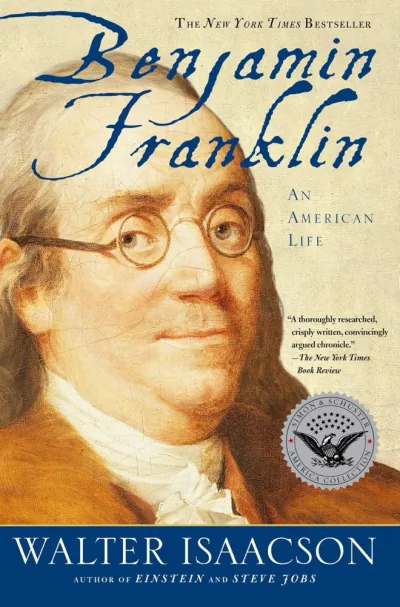
Benjamin Franklin
Drag the dial
Highlights and notes
Keep a passage, and what you made of it.
Scan a page and pick out the lines with Live Text, or type them in. A note in your own words stays with the passage.
Tap a sentence to keep it
Recall
It checks in on what you've read.
It asks about a book you're reading or have finished, one question at a time, and tells you what you got right. It goes back over the words you look up, too, so what you read stays with you.

Notes from Underground
Question 1 of 3
What does the narrator mean when he says being too conscious is an illness?
The app, annotated.
- 1
The pile's length in time, from your pace: your median reading day, times how often you read.
- 2
One number sets both how far the covers overlap and where a flick can stop, so it never stops between two.
- 3
The colour is the cover itself, shrunk to 20 by 20 and bloomed out.
- 4
Every line of the caption keeps its height, so a long title never moves the covers.
- 1
Questions about the book stop at your page: nothing past it, unless you say so.
- 2
Update becomes Undo for six seconds after the dial moves.
- 3
A page a notch. It saves once, when the dial comes to rest.
- 4
The reading log keeps one entry a day, however often you update.
- 1
Her photo, from Open Library.
- 2
Following brings her new books into Explore.
- 3
Links from Wikidata, never searched for by name, so they're never someone else's.
- 4
No bio on Open Library, so Wikipedia's summary, credited.
- 1
The spoiler rule, from your shelf and page. Finished, so anything goes.
- 2
Suggested questions fit the kind of book, and how far into it you are.
- 3
Answered on the iPhone by Apple's model, or by Claude once you've agreed.
- 4
Or talk: it listens, asks after a pause, and reads the answer out.
- 1
The year is the Gregorian one, whatever calendar your phone uses.
- 2
Only the goal is stored. The count is your finished books dated this year.
- 3
Measured from the start of today, so nobody is behind on 1 January.
- 4
A book read twice in a year counts twice.
- 1
The badge turns over your card: 3.5 by 2 inches, square corners, like a printed one.
- 2
A member number can't be changed from the app, by anyone.
- 3
A dot for each day you read. A week, not a streak.
- 4
Top Books are as public as your profile. Your shelves are for friends.
Privacy
Yours and nobody else's
No account needed
Shelves, progress, highlights, notes and words all work signed out, and then everything stays on your iPhone. Sign in only to sync, to add friends and for Recall.
No ads, no tracking
No advertising, no analytics, and nothing is ever sold. Ask about a book or check in on it, and Claude answers only once you've agreed, seeing just that book and what you've kept from it.
You choose what's shared
Friends see only what you share with them, and only once you’ve accepted each other’s friend request. Notes, words and Recall are only ever yours.
Support
Questions, bug reports, feature requests?
Email hello@jasonhindley.info and you'll hear back from me.
To delete your account and everything in it, open the Social tab, then the gear menu, then Delete account.
Made by Jason Hindley
I'm building Tether, a social network designed to replace the ones that profit from your attention. Marginalia is a reading app I designed and built alongside it, to be genuinely beautiful and purposeful. Both come from the same belief: humane design should be the norm in consumer apps, not the exception.
I began at Apple, on the Genius Bar, and went on to work as a Technical Writer at SafetyCulture (now Mitti) and Beem (formerly part of Australian Payments Plus), alongside their product teams. With the advent of AI and coding harnesses, I began designing and building products independently.
I'm also open to Product Designer and Design Engineer roles at design-led, mission-driven companies. I'm based in Sydney, Australia, and also open to working in Melbourne, London, Amsterdam, Copenhagen, Stockholm, Zurich, San Francisco or New York, or remotely.